NewDebug failed jobs and retry from any step.

Platform / Optimize

Product 07

Preloop Optimize

Agents that continually optimize your CI.

Agents watch your CI and propose changes that make it faster and cheaper. Each one comes with the evidence, so you only merge what pays off.

Workflow files
Unchanged
Availability
Available today
Surface
CLI, API and dashboard
LOOP04beats
01Changesnapshot
02Verifyreplay
03Fixpause
04Mergepublish
optimize loop poster
Observe a run, propose a fix, check it, explain it, and open a draft.Muted · loops

Why it exists

CI changes are easy to suggest and hard to judge. A change can save runner time in one case and cost more to validate than it saves. Agents check each proposal against real runs and show the evidence before asking for review.

Preloop Optimize, step by step.

The mechanism, in the order a job meets it.

  1. 01

    Observe

    Agents continually inspect job and step durations, cache outcomes, selection rates, queue wait and superseded runs.

  2. 02

    Propose

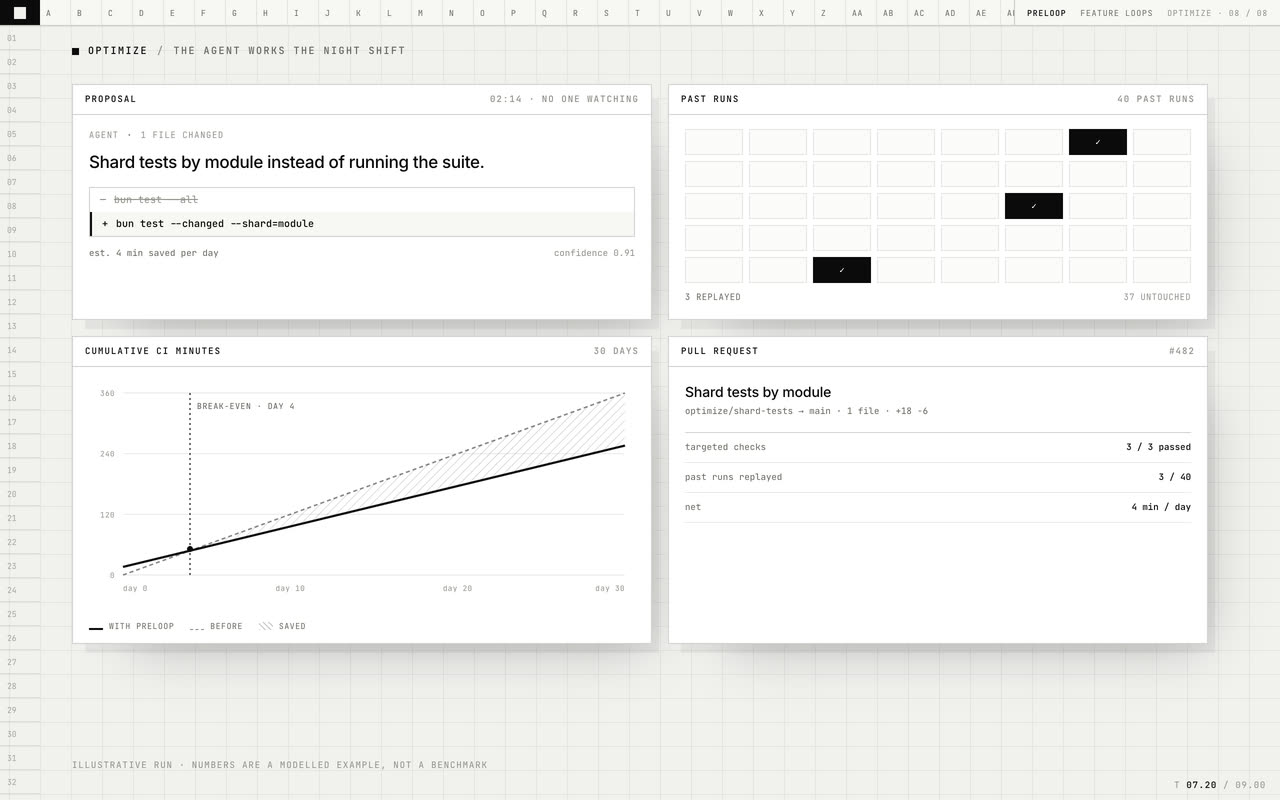
    An agent suggests one focused change and explains the expected improvement, such as splitting a job or narrowing a cache key.

  3. 03

    Check

    Targeted checks run against real past runs. Each check tests whether the proposed change supports its claim.

  4. 04

    Explain

    The proposal lists the checks and results, validation cost, saving per run and the number of runs needed to break even.

  5. 05

    Open for review

    When the checks pass and the saving is worth the validation cost, a draft pull request opens with the workflow diff and evidence.

What you get.

Each capability is part of the product today.

01

Continuous optimization

Agents continually inspect your CI and look for one focused improvement at a time.

02

Checks against real runs

Each proposal runs targeted checks against runs from your repository and reports which checks passed.

03

Evidence you can review

See the proposed change, runs used, validation cost, saving per run and break-even point in one proposal.

04

Break-even in runs

The proposal shows validation cost divided by saving per run, so you can judge the payback directly.

05

A reviewable diff

A draft pull request contains the workflow change and its evidence. You decide whether to merge it.

06

Bounded authority

Agents open draft pull requests only. They do not run changes on the default branch or edit product code, secrets or repository settings.

07

No proposal without proof

If checks fail or the saving does not cover validation cost, Optimize leaves the workflow unchanged.

Sample / bash

Examplebash
proposal        split test:parser into 4 shards
verified        20 real runs
checks          20 / 20 passed
validation      1m 10s, once
saving          3m 10s per run
break-even      after 2 runs
net             9m 33s -> 6m 23s per run
result          draft pull request #418

Illustrative proposal. The shape is the product: a change, its evidence, and its arithmetic.

Specs.

Trigger
Scheduled, or on demand against one workflow.
Input
Your own run history: durations, cache outcomes, selection rates, queue wait.
Validation
Targeted checks replayed against real past runs, priced once.
Output
A draft pull request containing a workflow diff and the evidence.
Authority
No default-branch runs, no product-code changes, no repository settings.
Default
Off until enabled.

Preloop Optimize questions

Q.01Does Optimize change my code?

No. It proposes a diff against a workflow file and opens it as a draft pull request.

Q.02How is this different from a linter?

A linter checks rules. Optimize uses your run history, tests a proposed change against real runs and explains the evidence.

Q.03Which checks does a proposal include?

The agent selects targeted checks that could show whether the proposed change works. The proposal lists each check and its result.

Q.04What does validation cost?

The proposal shows the runner time used for validation and includes it in the break-even calculation.

Q.05Can it be wrong?

Yes. That is why every change is checked against real runs and opened as a reviewed pull request instead of being applied automatically.

Q.06Can I run it on one workflow only?

Yes. Scope it to one workflow, or run it on demand while investigating a slow pipeline.

Start

Start with one workflow.

We will set it up with you and show you what changes.